What’s the best status page tool in 2026?
That depends on what you’re actually buying. Status-page-only tools display a page, but you need a separate monitoring service to tell them something is wrong. Platforms that include monitoring detect incidents and update the status page in the same workflow.
The two categories look similar from the outside, but they work very differently in practice.
We compared the most widely used options across both categories, looked at how pricing actually works, and included open-source alternatives for teams that want to self-host.
Key takeaways
- UptimeRobot bundles monitoring and status pages in one product, with a free tier that includes 50 monitors and never expires. Team and Scale include multiple login seats, with additional seats available as paid add-ons. There are no per-subscriber charges.
- Hyperping’s flat pricing ($24–$249/month when billed annually) makes it cheaper than combining Pingdom, Statuspage, and PagerDuty, which can run $600+ per month for equivalent coverage.
- Statuspage.io costs $399/month for 5,000 subscribers on the Business plan. Instatus covers the same subscriber count for around $20/month.
- Uptime Kuma runs on a $5/month VPS, supports 90+ monitor types, and rivals commercial tools on interface quality, but it has no SSO and monitors from a single location only.
- Incident.io treats the status page as an output of the incident workflow rather than a standalone product, which keeps internal Slack comms and public updates in sync automatically.
- OpenStatus is the only self-hosted tool that offers 28-region multi-cloud monitoring and lets teams start on SaaS before migrating to self-hosted, a path most tools don’t support.
Before getting into the details, take a look at the quick facts in our comparison table.
| Tool | Pricing | Monitoring included | Hosted / self-hosted | Free plan | Custom domains | Subscriber notifications | Best for |
|---|---|---|---|---|---|---|---|
| UptimeRobot | Solo $9/mo; Team $33/mo | ✅ Built in | Hosted | ✅ 50 monitors | ✅ Paid plans | ✅ Team+ | Monitoring + status pages in one platform |
| Hyperping | Essentials $24/mo; Business $249/mo | ✅ Built in | Hosted | ✅ | ✅ | ✅ | Monitoring, status pages, and on-call together |
| Instatus | Pro $15/mo; Business $225/mo | Basic monitoring | Hosted | ✅ | ✅ Paid plans | ✅ | Affordable standalone status pages |
| Statuspage | Hobby $29/mo; Business $399/mo | ❌ | Hosted | ✅ | ✅ | ✅ | Enterprise status pages for Atlassian users |
| Status.io | Basic $79/mo; Plus $349/mo | ❌ | Hosted | ❌ | ✅ | ✅ | Enterprise incident communication |
| incident.io | Team $15/user/mo; Pro $25/user/mo* | Integrates with monitoring | Hosted | ✅ | ✅ | ✅ | Incident management with customer-facing status pages |
| Better Stack | Responder $29/mo; extra status page $12/mo | ✅ Built in | Hosted | Limited | ✅ | ✅ | Monitoring and observability platform |
| Uptime Kuma | Free | ✅ Built in | Self-hosted | ✅ | ✅ | ✅ | Free self-hosted monitoring and status pages |
| OpenStatus | Starter $25/mo; Pro $83/mo | ✅ Built in | SaaS or self-hosted | ✅ | ✅ | ✅ | Hybrid cloud/self-hosted deployments |
| cState | Free | ❌ | Self-hosted | ✅ | ✅ | ❌ | Static status pages |
| Gatus | Standard $10/mo; Business $50/mo | ✅ Built in | Hosted or self-hosted | ✅ | Manual | Via integrations | Configuration-driven monitoring |
| Upptime | Free | ✅ Built in | Self-hosted | ✅ | ✅ | Via GitHub | GitHub-based hobby projects |
Prices use annual billing where available. Pricing structures vary by product.
The best SaaS status page tools in 2026
These tools represent a range of approaches to status page management, from dedicated status page platforms to broader monitoring solutions with built-in incident communication.
Some prioritize customization and branding, while others focus on ease of use, integrations, or combining monitoring and status pages in a single platform.
UptimeRobot
UptimeRobot status page snippet
Best for: Teams that want monitoring and a public status page in one product, without per-seat pricing.
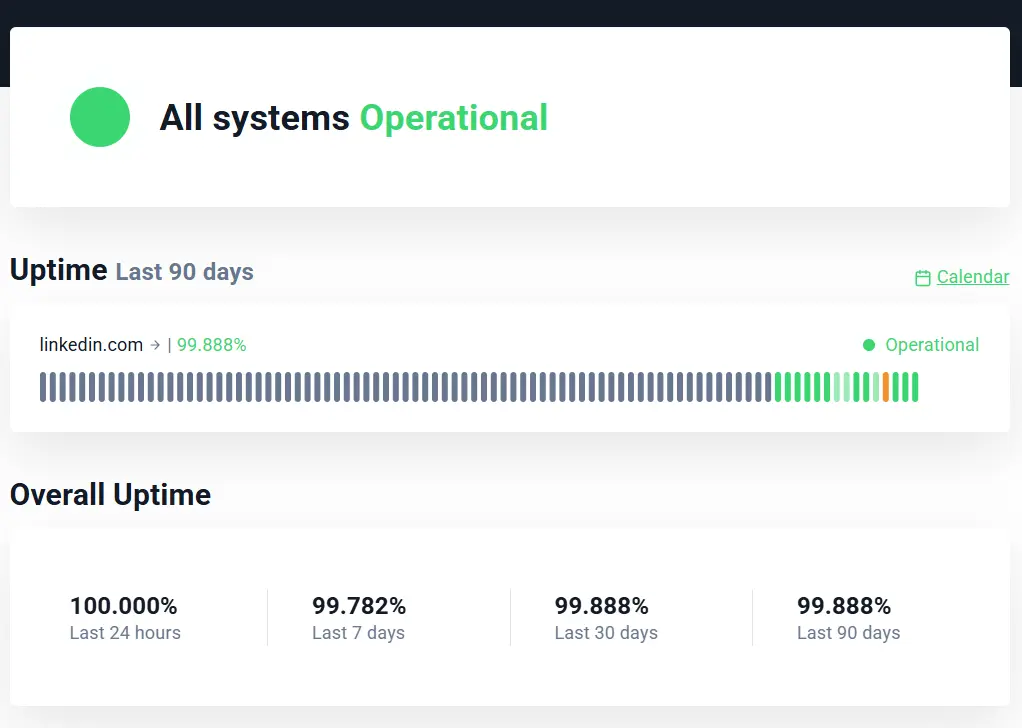
UptimeRobot is the entry point most teams reach first. The free plan includes 50 monitors at 5-minute check intervals, making it one of the few platforms that offers a genuinely useful free status page, not a trial, not a limited demo, just a starting point that doesn’t expire.
Paid plans start at $9/month (annual) with 60-second check intervals on Solo and plans, 30-second intervals on Teams, and 15 seconds on Scale and Enterprise. Monitor types include HTTP(S), keyword, ping, port, heartbeat (cron jobs), DNS, SSL and domain expiration, API, and UDP.
The status page covers the core requirements well.
Every plan gets a basic status page with incident communication. Team plans ($33/month annual) add custom domains, custom design, subscriber notifications, password-protected pages, and white-label branding. Enterprise plans include unlimited status pages.
Announcements publish immediately or on a schedule, and you can drag components into whatever order makes sense to your customers rather than accepting a preset one.
UptimeRobot’s structural advantage in this comparison is that monitoring and status pages come bundled, not bolted together. When a monitor detects an outage, the status page reflects it without manual intervention. Tools like Statuspage.io and Status.io don’t include monitoring at all, which means you’re maintaining a separate integration and paying for two products.
UptimeRobot’s pricing isn’t based on the number of users. Team includes three login seats and Scale includes five, with additional seats available as paid add-ons. Better Stack charges per responder license, while incident.io prices its paid plans per user.
Teams that also need on-call scheduling or synthetic browser testing will want to pair UptimeRobot with a specialized tool for those workflows. For developers and small-to-mid product teams, it covers monitoring and status pages at a price that usually doesn’t need budget approval.
| Pros | Cons |
| Monitoring and status pages in one platform | No built-in on-call scheduling |
| Free plan with 50 monitors | No synthetic browser monitoring |
| No per-subscriber pricing | Advanced branding requires Team or Scale |
| Easy to set up with broad monitor coverage |
Hyperping
Source: Hyperping status page snippets
Best for: Teams that want monitoring, status pages, and on-call scheduling in one place without per-user fees.
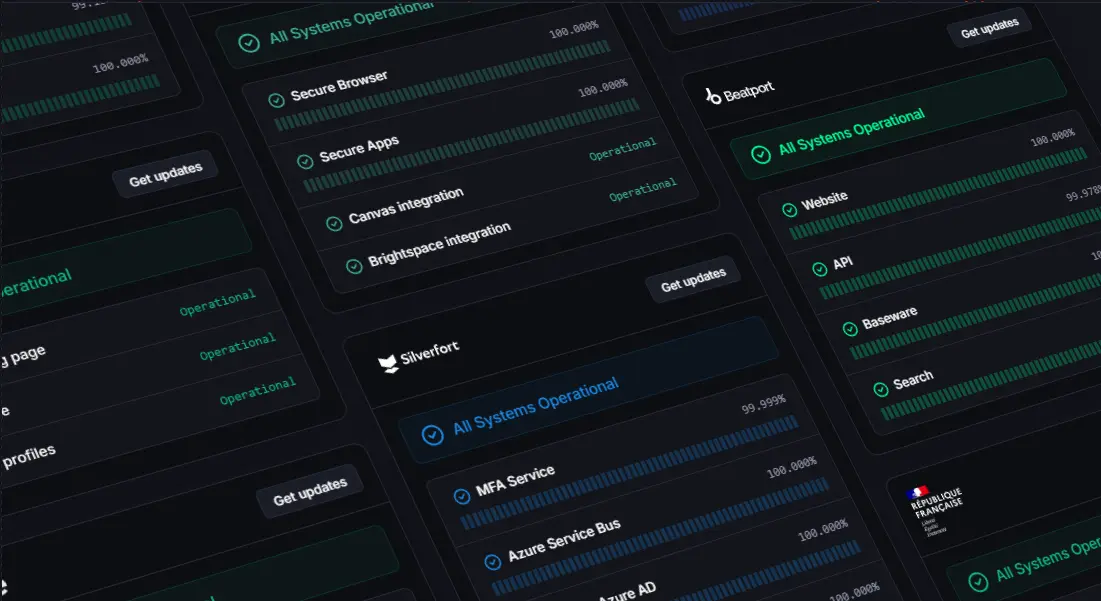
Hyperping is the clearest all-in-one option if you also need on-call scheduling. The Essentials plan starts at $24/month (annually) and includes 50 monitors, a full-featured status page with custom domain, three browser checks, and on-call scheduling, none of which require add-on purchases. The Pro plan ($74/month) adds 250 monitors, three status pages, SAML SSO, and ten browser checks. Business ($249/month) scales to 1,000 monitors and 20-second check intervals.
The pricing model is flat. The bundled seat count covers your team, there are no per-subscriber charges, and status pages don’t require a separate add-on. That predictability is meaningful when you compare it against the traditional stack of Pingdom for monitoring, Statuspage for communication, and PagerDuty for on-call, which can run $600+ per month for equivalent coverage.
EU-native infrastructure is a genuine appeal for GDPR-sensitive teams. Hyperping hosts data in EU regions, which removes a compliance conversation that other platforms require.
Hyperping focuses on uptime monitoring, status pages, and on-call rather than full observability. Teams that also need log management, distributed tracing, or metrics aggregation will need to pair it with another platform.
| Pros | Cons |
| Monitoring, status pages, and on-call in one platform | No built-in logs, tracing, or metrics |
| Flat pricing with no subscriber charges | Smaller integration ecosystem than larger platforms |
| Browser checks included | Enterprise features require higher-tier plans |
| EU-hosted infrastructure |
Better Stack
Source: Better Stack mobile and web status page examples
Best for: Teams that want monitoring, logs, and status pages in one dashboard and are comfortable with modular pricing.
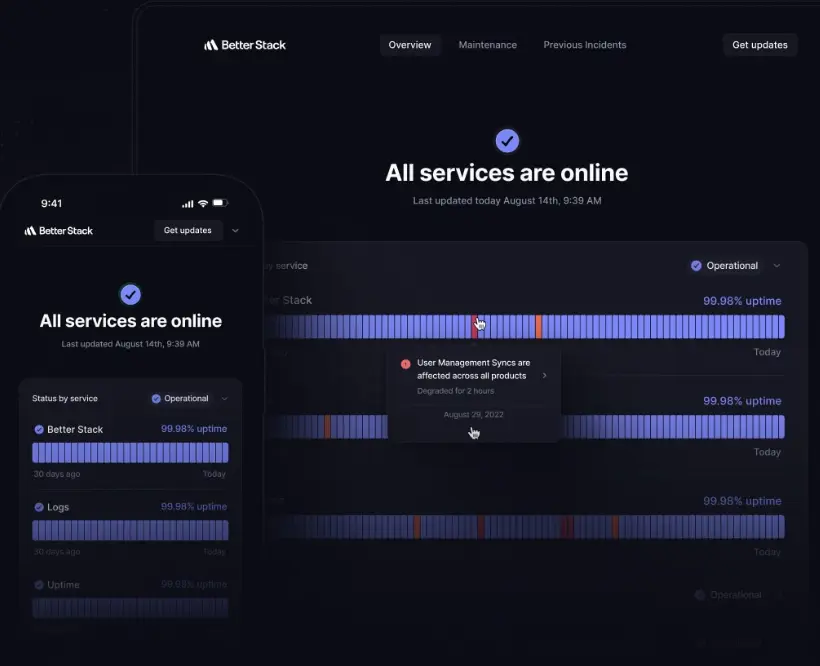
Better Stack earns its place for teams where centralized log management alongside uptime monitoring is a real requirement. The platform provides HTTP monitoring, synthetic checks, cron job monitoring, and log ingestion in a single UI, which decreases context-switching during incidents.
Pricing complexity is where teams give pause. Better Stack starts at $29 per responder license per month when billed annually, which includes 10 monitors and one status page. Additional monitoring costs $21 per month for 50 monitors, while additional public status pages cost $12 per month. As teams grow, per-user fees become the dominant cost driver.
On-call scheduling is included, and the observability depth is strong. Teams that have graduated beyond simple uptime checks and want unified logs and monitoring may find that Better Stack justifies its higher effective price. However, teams that only need uptime monitoring and a status page, the modular pricing adds cost without adding value.
| Pros | Cons |
| Combines monitoring, observability, and status pages | More platform than teams focused only on status pages may need |
| Built-in incident management and on-call | Per-user pricing increases costs as teams grow |
| Strong observability capabilities | Some advanced features require higher-priced plans |
| Modern interface with broad monitoring coverage |
Instatus
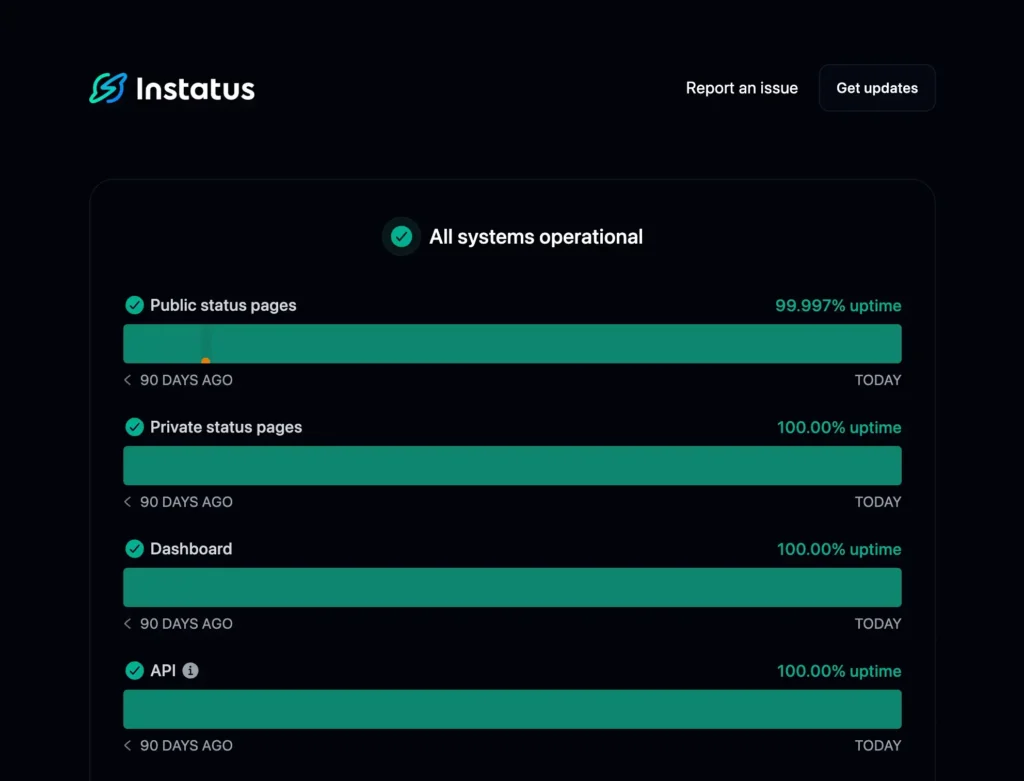
Source: Instatus status page snippet
Best for: Teams where page aesthetics and load speed are the priority.
Instatus built its reputation on fast, well-designed status pages and hasn’t abandoned that focus. Its Jamstack architecture serves status pages as static content via CDN, which means pages load quickly and stay available even during origin infrastructure failures. It also supports 30+ languages, which matters for products with a global audience.
The Pro plan runs around $20/month and includes 50 monitors, 30-second check intervals, email and SMS alerts, custom domain support, and up to 5,000 subscribers. At that price point for that subscriber count, it’s dramatically cheaper than Statuspage’s $399/month Business plan for the same capacity.
Monitoring capabilities are deliberately basic. Pro includes four check regions and HTTP-level checks only, with no synthetic browser testing or cron job monitoring. That isn’t an issue if monitoring happens elsewhere, but it can be limiting if you rely on Instatus alone. SAML SSO and private status pages are available on the Business plan, while SCIM Directory Sync requires Enterprise.
| Pros | Cons |
| Excellent value for public status pages | Built-in monitoring is relatively basic |
| Generous subscriber limits | Limited incident management workflows |
| Simple setup and clean interface | Advanced monitoring requires another tool |
| Custom domains on paid plans |
Incident.io
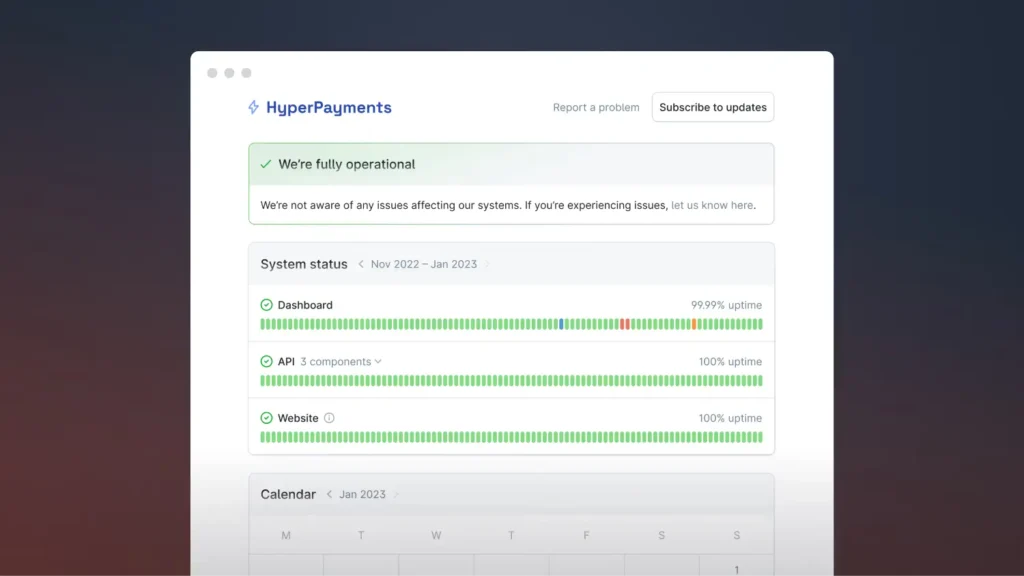
Source: Incident.io status page example
Best for: Slack-native teams running frequent incidents who want incident management, on-call, and status pages tightly coupled.
Incident.io is a different category of tool. The status page is an output of the incident workflow rather than a standalone product. When an incident is declared in Slack, the platform creates an incident channel, tracks the timeline, assigns roles, and updates the status page according to configured policies. That coupling eliminates the risk of divergent narratives between internal chat and public communication.
Pricing starts at $19/user/month for Team, or $15/user/month with annual billing. On-call scheduling costs an additional $10/user/month on Team. A free Basic plan is also available and includes a status page.
Incident.io doesn’t provide native monitoring. It ingests alerts from Datadog, Prometheus, Better Stack, and similar platforms, so it works alongside an existing observability stack rather than replacing it. Teams that haven’t standardized on a monitoring platform will need to sort that out separately.
| Pros | Cons |
| Excellent incident response workflow | Not a standalone monitoring platform |
| Tight Slack integration | Per-user pricing can become expensive |
| Status pages integrated into incident management | Requires external monitoring |
| Strong automation capabilities |
Statuspage.io (Atlassian)
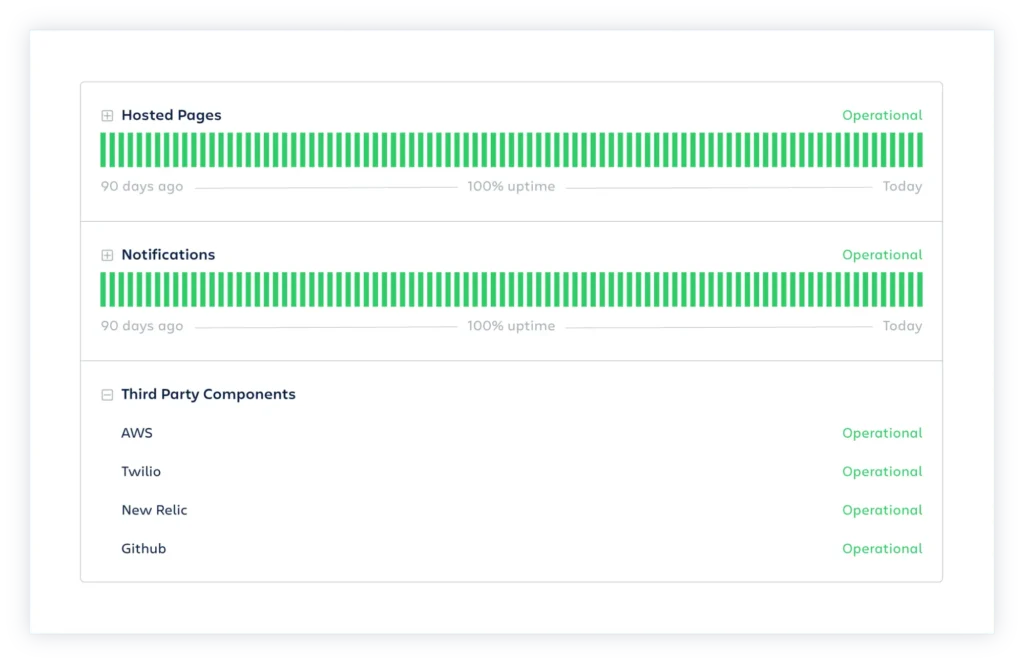
Source: Statuspage example snippet
Best for: Teams already deep in the Atlassian ecosystem.
Statuspage is a natural fit for teams already invested in the Atlassian ecosystem. It includes component subscriptions, Atlassian Guard integration for SSO, and a mature feature set built over years of development. Custom domains require a paid plan (Hobby at $29/month). SMS notifications start on Startup ($99/month), while Business ($399/month) supports 5,000 subscribers, component subscriptions, and role-based access control.
However, there is no built-in monitoring, and custom domains are paywalled. Some also think the interface looks dated next to newer tools. Unless you’re already invested in the Atlassian ecosystem, it’s worth comparing the alternatives in this guide before deciding.
| Pros | Cons |
| Mature enterprise feature set | Monitoring requires a separate product |
| Deep Atlassian integration | Subscriber-based pricing becomes expensive at scale |
| Strong access controls and SSO | Better value exists outside the Atlassian ecosystem |
| Widely adopted by enterprise software vendors |
Status.io
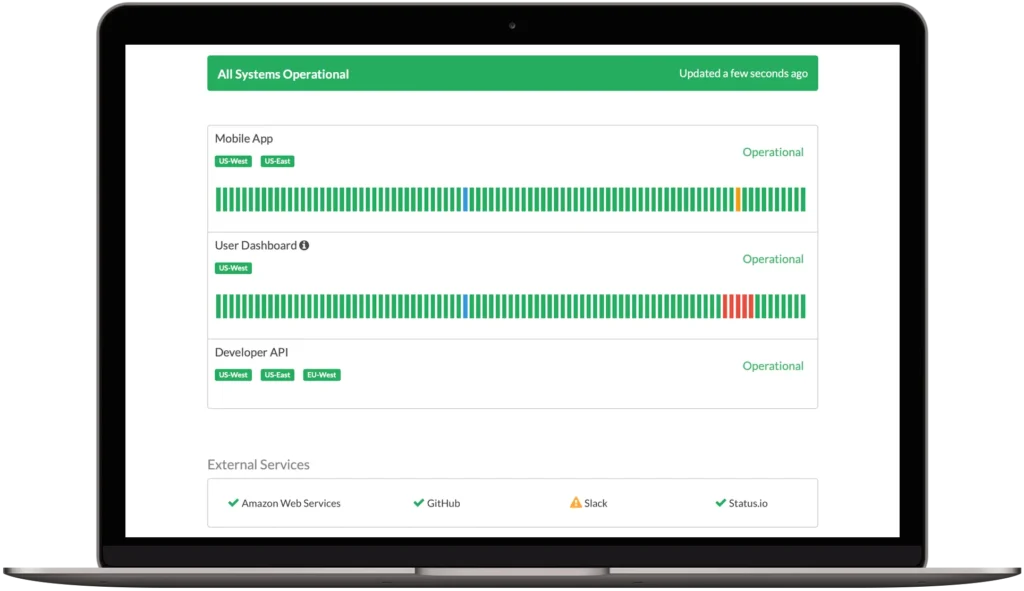
Source: Status.io desktop view example
Best for: Regulated or security-sensitive environments that need rich access controls and don’t need built-in monitoring.
Status.io is a specialist status page service with enterprise-focused controls. Basic starts at $79/month, while Standard ($149/month) adds white-label branding. SAML SSO, private mode via SSO or IP allowlisting, audit trail exports, and subscriber compliance tools are available on Plus ($349/month), which supports up to 5,000 subscribers.
No native monitoring is included. At $349/month for 5,000 subscribers, it’s priced for enterprise buyers who value compliance features and access control depth over cost efficiency. If you’re evaluating it solely on price, Instatus wins easily, but Status.io’s compliance depth is genuinely hard to match.
| Pros | Cons |
| Enterprise-focused communication features | Higher starting price than most competitors |
| Flexible branding and notification options | No built-in monitoring |
| Multiple status pages included | Separate monitoring platform required |
| Strong enterprise integrations |
The best open-source and self-hosted status page tools in 2026
Self-hosted tools eliminate subscription costs, but your team takes on the responsibility of running and maintaining the platform. If the server hosting your monitoring goes down, your status page goes with it.
Organizations with DevOps resources and strict data residency requirements may find that worthwhile. Without dedicated infrastructure support, though, the operational overhead can outweigh the savings.
Uptime Kuma
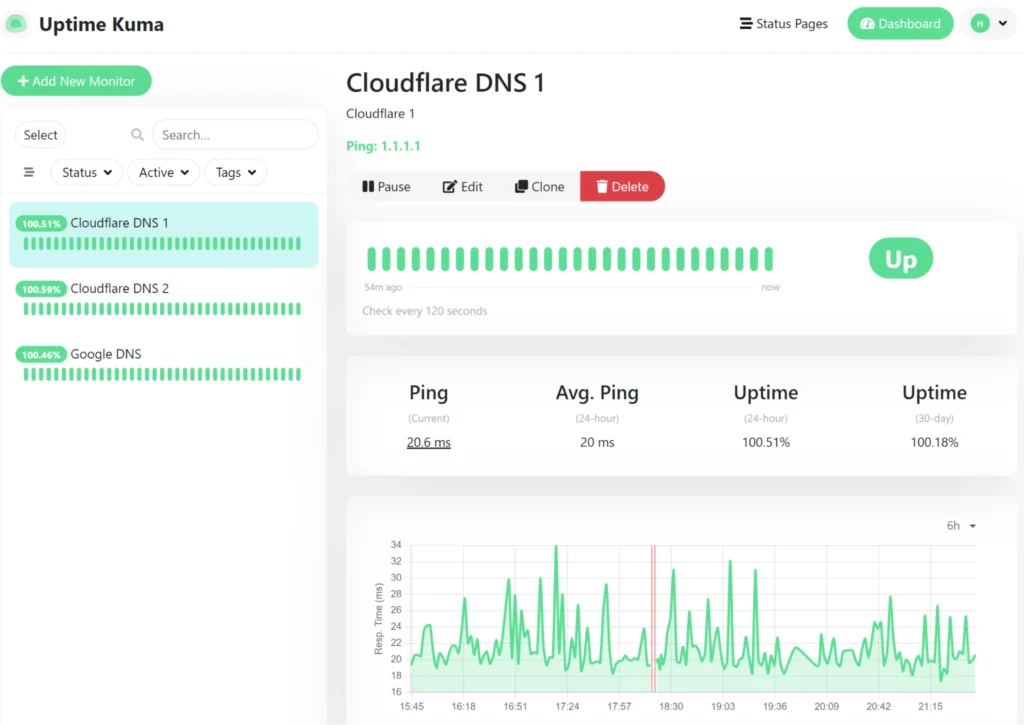
Source: Uptime Kuma status page example
The standout recommendation for self-hosted deployments. Uptime Kuma supports over 90 monitor types (HTTP, TCP, ping, DNS, cron jobs, and more) alongside notification channels including Slack, Discord, Telegram, PagerDuty, and email. Its interface rivals commercial products, and it runs comfortably on a $5/month VPS or a Raspberry Pi.
Uptime Kuma isn’t perfect. Each instance monitors from a single location, so multi-region monitoring requires separate deployments. Enterprise access controls are limited, with no SSO, SAML, or role-based permissions. And because it’s self-hosted, your team is responsible for maintenance, updates, and availability.
Those limitations won’t matter to every team. If you’re comfortable running your own infrastructure, Uptime Kuma is still one of the best free self-hosted monitoring platforms available.
| Pros | Cons |
| Completely free and open source | Self-hosted only |
| Supports 90+ monitor types | Single-location monitoring per instance |
| Excellent interface | No SSO or enterprise access controls |
| Large plugin and integration ecosystem | Your team is responsible for maintenance |
OpenStatus
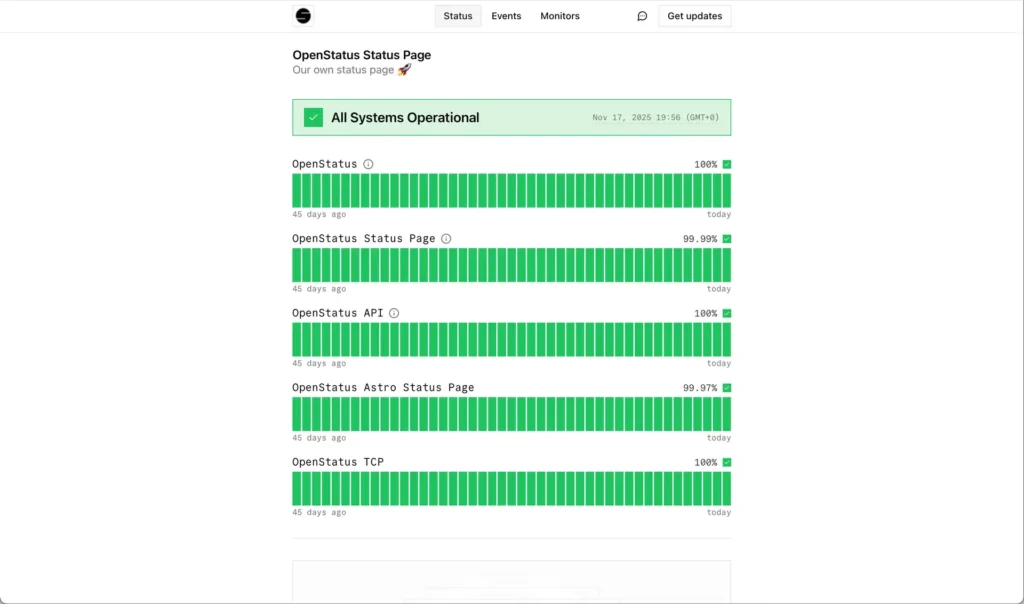
Source: OpenStatus uptime status page example
OpenStatus is the most actively maintained newer entrant in this space. It offers multi-cloud monitoring, subscriber management, custom domains, and integrations with PagerDuty, OpsGenie, and Grafana OnCall. The Starter plan costs $30/month, or $25/month with annual billing, and supports six regions per monitor. Pro expands monitoring to all 28 regions per monitor and adds private locations. A fully documented self-hosting path lets teams run the entire stack on their own servers.
That ability to start in the cloud and migrate to self-hosted later is genuinely unusual. Most tools make you choose one path from the start. Its multi-region monitoring also closes one of the biggest gaps between self-hosted tools and commercial platforms: geographic coverage.
| Pros | Cons |
| SaaS and self-hosted deployment options | Newer platform than established competitors |
| 28-region monitoring | Self-hosting requires more operational effort |
| Modern architecture and interface | Smaller ecosystem than larger commercial tools |
| Easy migration from SaaS to self-hosted |
Honorable mentions: Gatus, cState, and Upptime
These three tools serve more specific needs:
cState is a Hugo-based static status page that deploys to Netlify and similar platforms at near-zero cost. Version 6.0.1 was released in July 2025, confirming active maintenance. It has no built-in monitoring, but for a lightweight, CDN-served public status page, it’s hard to beat on simplicity and resilience.
Gatus is a configuration-driven Go tool with YAML-based setup and alert integrations. Actively maintained and suited for infrastructure teams that prefer config files over dashboards. A hosted version is also available, with plans starting at $10/month.
Upptime uses GitHub Actions for monitoring and GitHub Pages for hosting, which effectively costs nothing to run. It hasn’t received meaningful updates since 2020, which makes it risky for production use. Treat it as a proof of concept, not a production tool.
Seven criteria for choosing the right status page tool
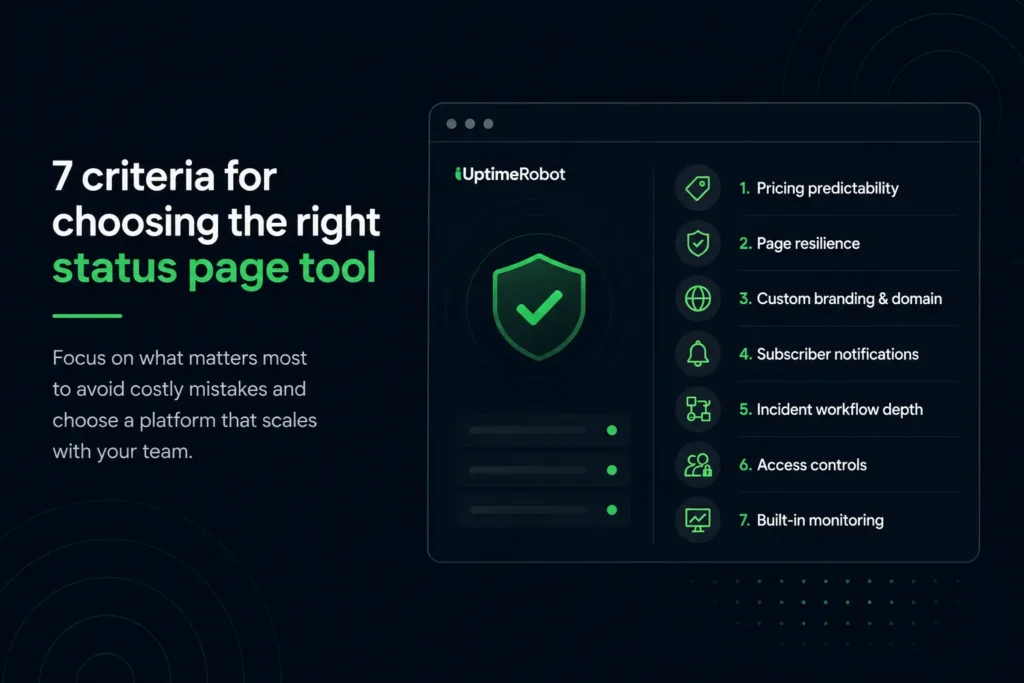
Choosing the right status page tool criteria
Before comparing individual tools, here’s what to look for. These seven criteria cover the most common ways teams pick the wrong platform.
Pricing predictability is where buyers get surprised most often. Status page services use different pricing levers like per-seat, per-monitor, per-subscriber, per-status-page, or flat-rate. Two tools that look similarly priced on the landing page can differ by 10x once you add your actual team size and subscriber count.
Page resilience matters most when your infrastructure is the thing that’s broken. A status page served from a CDN as static content stays online even when your own servers are down. One that runs on your application stack might not.
The remaining five:
- Custom branding and domain support: Some tools lock this behind paid tiers. If your status page URL reads yourcompany.statuspage.io instead of status.yourcompany.com, it undermines the trust signal you’re trying to create.
- Subscriber notification channels: Email is table stakes. SMS, voice calls, and webhook support become relevant as your customer base grows.
- Incident management workflow depth: Does the tool just display a status, or does it coordinate the response? The answer changes the product category you’re shopping in.
- Private and internal page access controls: SSO, role-based permissions, and IP restrictions matter for regulated industries and for teams that want internal pages without exposing details publicly.
- Built-in monitoring integration: If you need a separate monitoring tool, you’re also managing another integration during incidents. Platforms with built-in monitoring detect outages and update the status page in the same workflow.
How to pick the right one
Most teams should start with whether they need monitoring bundled in or already have a monitoring stack they’re happy with. That single question cuts the list roughly in half.
UptimeRobot is the simplest path to monitoring plus a status page without per-seat pricing. The free tier covers small projects outright, and paid plans stay well under $100/month for most teams.
Hyperping adds on-call scheduling to the bundle with flat pricing. If your team currently pays separately for monitoring, a status page, and on-call, Hyperping consolidates all three.
Better Stack makes sense when you also need log management alongside monitoring and status pages. The per-user pricing adds up, but the unified view is hard to replicate cheaply with separate tools.
Instatus wins on subscriber economics. Pro costs $20/month, or $15/month with yearly billing, for up to 5,000 subscribers. Statuspage’s Business plan costs $399/month for the same subscriber count. If the status page is the main product and monitoring is handled elsewhere, it’s hard to argue with that math.
Incident.io is the pick for Slack-native teams running frequent incidents, but budget for incident management costs plus a separate monitoring tool.
For self-hosted deployments, Uptime Kuma handles single-location setups. OpenStatus covers multi-region monitoring with a documented migration path from SaaS to self-hosted.
Take advantage of free plans and trials before committing. Status page requirements look simple on paper but vary enough in practice that hands-on testing is the fastest way to find the right fit.
UptimeRobot combines uptime monitoring and status pages in one platform, so you can detect incidents and communicate them without juggling separate tools. Every plan includes status pages, and the Free plan comes with 50 monitors.
-
It depends on your existing stack. If you already have monitoring in place, a dedicated status page may be enough. If you’re building a monitoring workflow from scratch, an all-in-one platform can reduce integration work and simplify incident communication.
-
Self-hosted tools work well for teams that need full control over their infrastructure, data, or deployment. However, they also make your team responsible for maintenance, updates, backups, and availability. For many organizations, a managed SaaS platform is the lower-maintenance option.
-
The most important features include reliable uptime monitoring (or integrations with your existing monitoring platform), subscriber notifications, custom domains, incident history, component-level status reporting, access controls, and predictable pricing as your subscriber count grows.
-
Yes. A public status page gives customers a place to check service health during incidents instead of contacting support. That transparency can reduce duplicate support requests and keep customers informed while your team works on resolving the issue.
-
If you need monitoring and a status page together, UptimeRobot offers one of the strongest free starting points. Teams that already have monitoring and mainly need an attractive public status page may prefer platforms such as Instatus. Self-hosted teams often choose Uptime Kuma or OpenStatus, depending on their operational requirements.